
Reports & Analytics
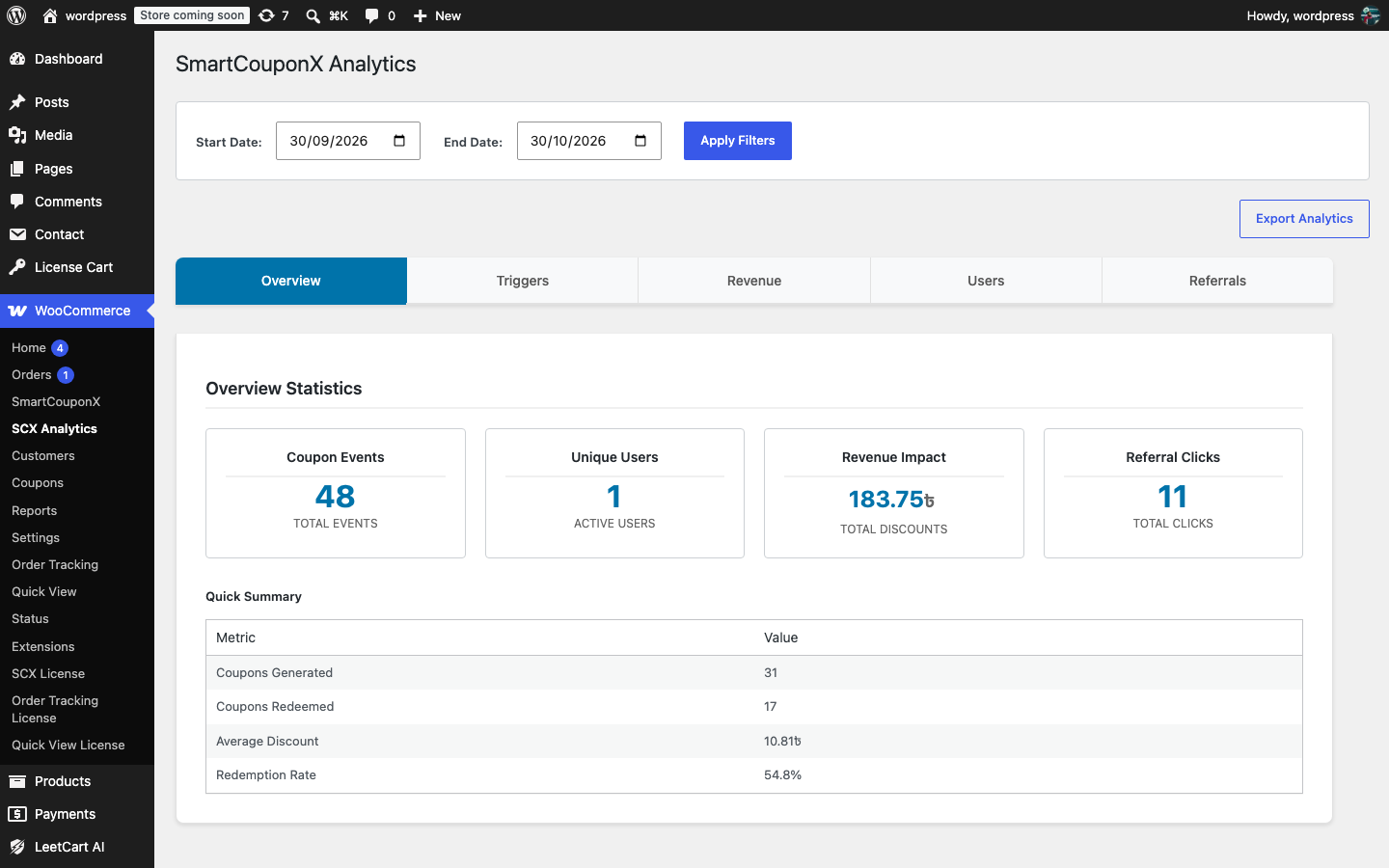
Open WooCommerce > SCX Analytics. Choose a Start Date and End Date (the last 30 days by default) and click Apply Filters. Analytics must be enabled on the Analytics settings tab, and events are kept for the configured retention period (90 days by default).
What is recorded#
| Event | When |
|---|---|
coupon_created | A SmartCouponX coupon is issued (with trigger type, amount and the related order, product or referrer) |
coupon_applied | A customer applies a SmartCouponX coupon to the cart |
coupon_removed | A customer removes one from the cart |
coupon_used | A paid order (Processing or Completed) contains a SmartCouponX coupon, with the discount amount |
referral_click | A visitor opens a referral link |
Tabs#
| Tab | Shows | How to act on it |
|---|---|---|
| Overview | Coupon events, active users, total discounts given, referral clicks, plus a Quick Summary with Coupons Generated, Coupons Redeemed, Average Discount and Redemption Rate | A low redemption rate means coupons are too small, expire too fast or the emails are not landing. |
| Triggers | Coupons created per trigger type and the share of each | Shows which triggers do the work; switch off ones that never fire or raise their amount. |
| Revenue | Total discounts given, average discount amount, total redemptions | Compare the discount cost with the orders it brought in from WooCommerce > Analytics. |
| Users | Top customers by number of events, event types and total discount value | Spot your most engaged customers and anyone collecting an unusual number of coupons. |
| Referrals | Total referral clicks, unique visitors and unique referral codes | Many clicks but few rewards suggests referred visitors are checking out as guests. |
CSV export#
Click Export Analytics to download smartcouponx-analytics-YYYY-MM-DD.csv for the selected date range. The file has five columns: Event Type, Event Data (the event details as JSON), User ID, Session ID and Created At. Open it in a spreadsheet to build your own reports; cell values that start with =, +, - or @ are escaped so the file is safe to open.
The revenue figures are the discount amounts recorded when a coupon is redeemed, not order totals. Use WooCommerce > Analytics > Coupons for order revenue by coupon code.