
Activating Your License
Where to find your key#
Your license key is in your account at technoleet.dev under Dashboard > License keys. One key activates the number of sites your plan includes.
Activate the key#
- In wp-admin go to Review Dashboard > Pro License. (While the free plugin is inactive the same page is under Settings > Pro License.)
- Paste the key into the license key field.
- Click Activate License.
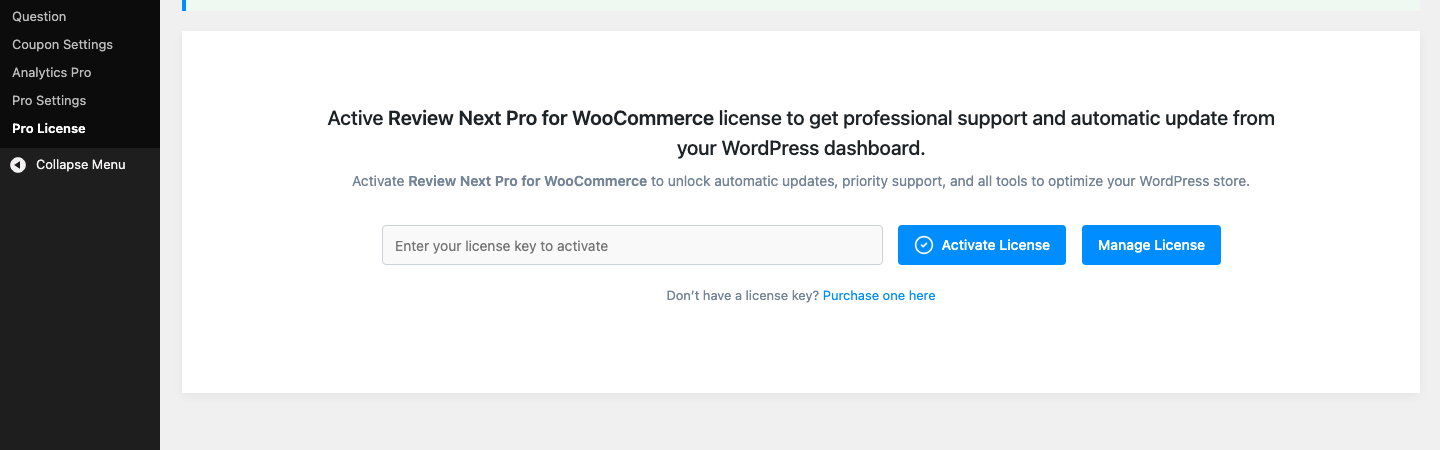
As soon as the key is accepted, the page shows the license status and expiry date, and every Pro feature unlocks immediately: the Analytics Pro page renders, and the counter, location and Load More features start working on the storefront.
What activation sends#
Activation, deactivation, the daily background re-check and update checks send your site URL, the license key, the plugin version and basic environment data (WordPress and PHP versions) to https://technoleet.dev. Nothing is sent during a normal page load on your store, and the plugin never contacts the license server while visitors browse. See the technoleet.dev terms and privacy policy.
Staging and local sites#
Activation is allowed on local and staging hosts (for example .test or localhost) so you can test before going live. Each activation uses one of your plan’s site slots, so deactivate the key on the staging site from the Pro License page when you are done.
The daily re-check and offline grace period#
Once a day the plugin re-checks the license in the background. If your site cannot reach technoleet.dev (for example during a hosting outage), the last known good license stays active for a 14-day grace period. If the server still cannot be reached after 14 days, Pro locks until the check succeeds again.