
Product View Counter
What shoppers see#
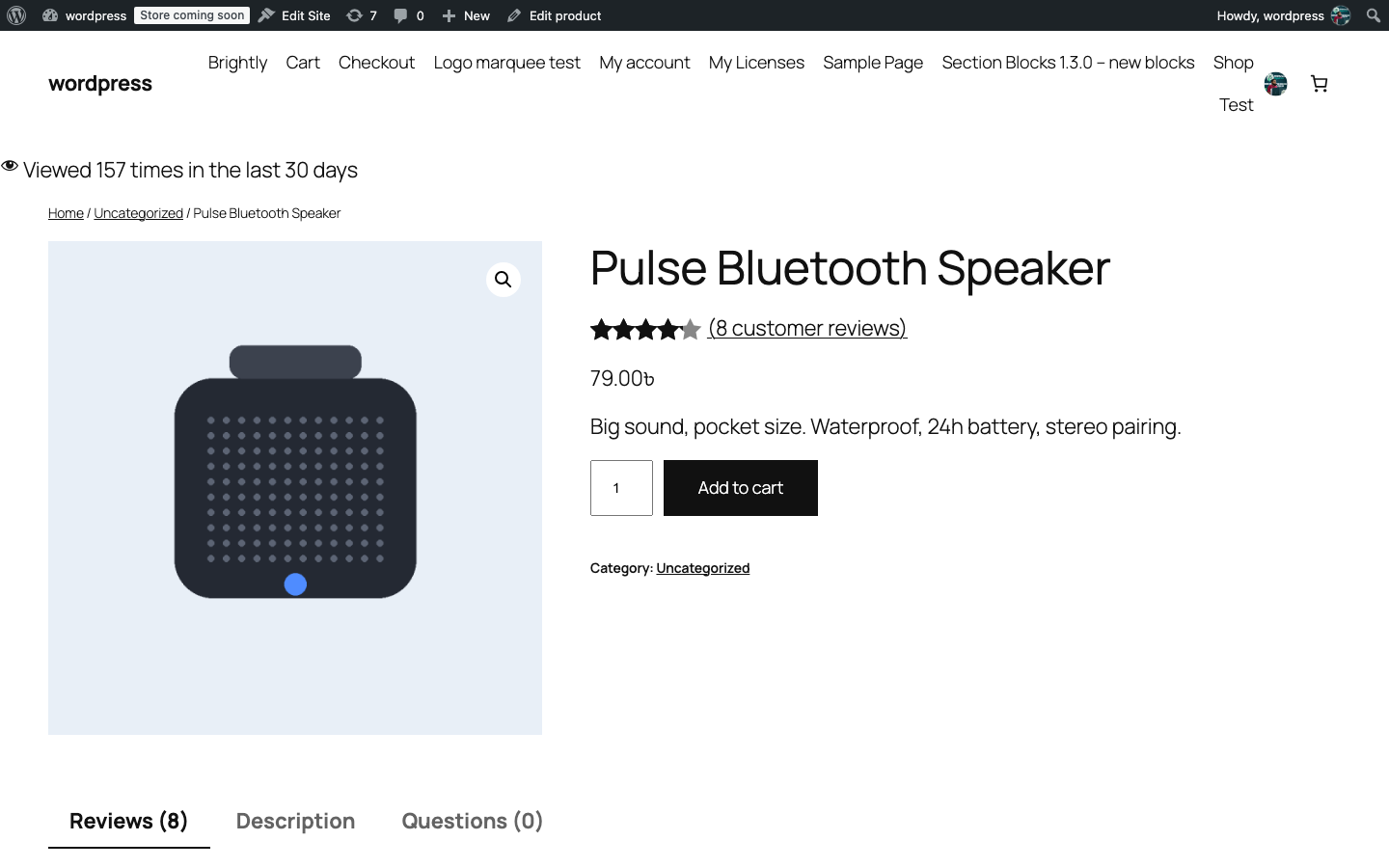
Above the review section on a single product page, a line reads Viewed N times in the last 30 days with an eye icon. It is printed through WooCommerce’s woocommerce_before_single_product hook, so it appears on any theme that uses the standard single product template.
The line is hidden while a product has fewer than 5 counted views, so a quiet product never shows an unflattering “Viewed 1 time”.
What it counts#
The number is a real rolling 30-day count of product page views. Nothing is seeded, estimated or derived from sales figures.
| Rule | Detail |
|---|---|
| One view per visitor per product per day | A hashed fingerprint of the visitor’s IP address and browser is kept in a 24-hour transient. Repeat visits on the same day do not count again. |
| Crawlers are skipped | Known bots and tools (search-engine crawlers, link previews, curl, wget, Lighthouse, Pingdom, GTmetrix, headless browsers) and requests without a user agent are ignored. |
| Shop staff are skipped | Logged-in users who can edit products (administrators and shop managers) are not counted. |
| Only real product page loads | Admin screens, AJAX calls, REST requests and post previews are ignored. |
| Rolling window | Views are stored per day in product meta (_revnextwoopro_views_30d); days older than 30 are pruned automatically. |
The fingerprint is a one-way hash (HMAC with your site’s salt), so the raw IP address and user agent are never stored.
Showing the counter elsewhere#
Use the shortcode to print the same line anywhere, for example in a product block or a page builder element:
[revnextwoopro_counter id="123"]Replace 123 with the product ID. On a single product page the id can be left out and the current product is used. The shortcode respects the same rules: nothing is printed below 5 views, while the setting is off, or while the license is inactive.
How to disable it#
- Go to Review Dashboard > Pro Settings.
- Untick Product view counter.
- Click Save Changes.
With the setting off, Pro neither counts nor displays views. Developers can use the revnextwoopro_visitor_counter_enabled filter instead.
If you use a full-page cache, the counter still works: the count is updated on each uncached page load and the displayed number refreshes whenever the cached page is regenerated. Expect the number to lag behind by your cache lifetime.