
Connections
LeetCart AI → Connections is where the assistant gets its brain: the AI provider, your API key, the model, the per-visitor rate limit and the optional MCP server. Remember to click Save Changes at the top right after editing.
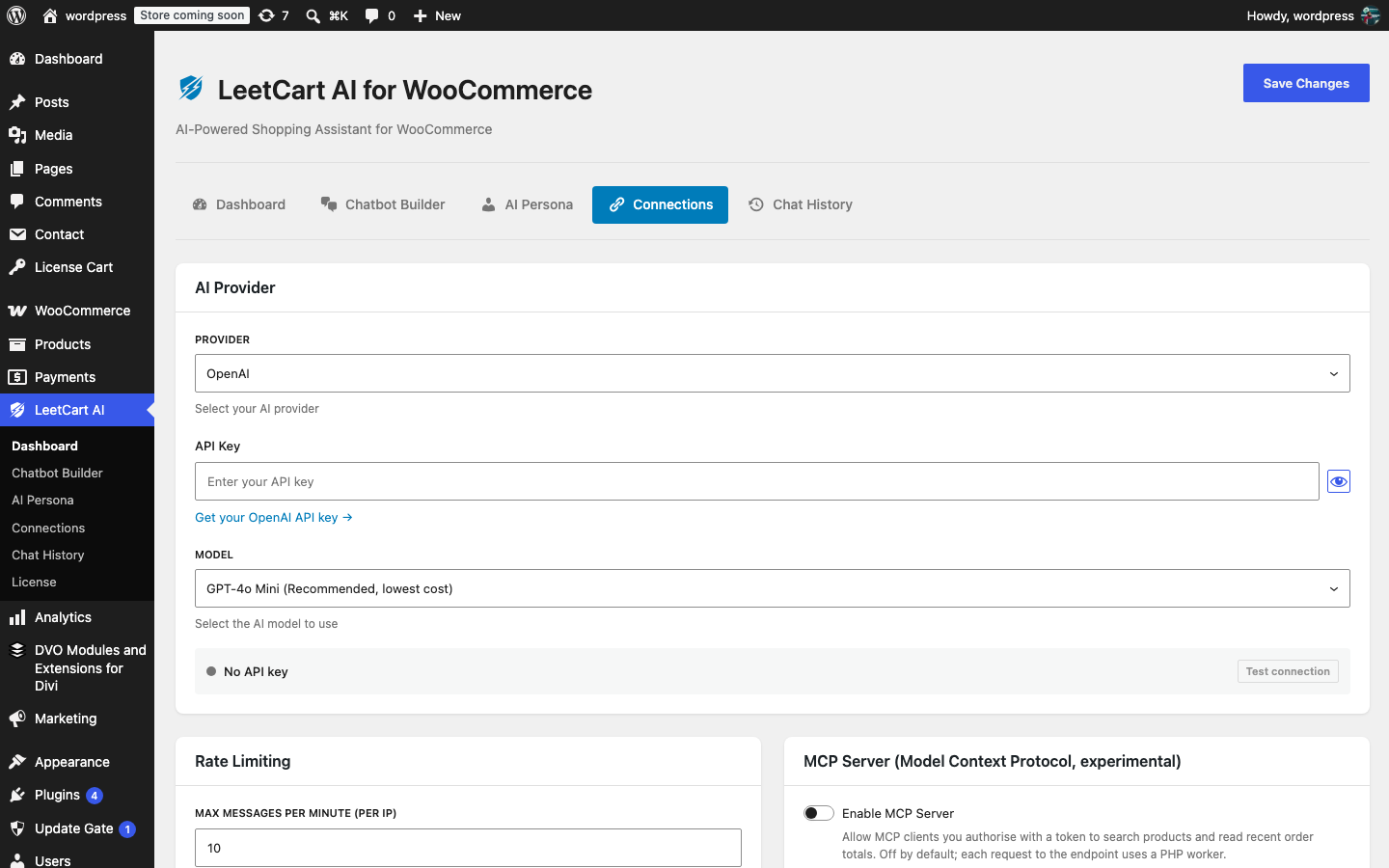
AI Provider#
| Setting | What it does | Default |
|---|---|---|
| Provider | Which service answers the chat: OpenAI, OpenRouter or Anthropic. Only the chosen provider is ever contacted. | OpenAI |
| API Key | Your secret key from that provider. It is stored in your WordPress options and never shown again in full; the field reads “API key is set” once saved. Leave it blank to keep the existing key. | empty |
| Model | The model used for every reply. The list changes with the provider; the first entry is the recommended, lowest-cost choice. | GPT-4o Mini |
| Test connection | Sends one request with only your API key to confirm the provider accepts it. No shopper or store data is sent and no chat usage is billed. Save first: the test uses the saved key. | – |
Where to get an API key#
- OpenAI: create a key at platform.openai.com/api-keys. You need billing set up on the OpenAI account.
- OpenRouter: create a key at openrouter.ai/keys. OpenRouter gives you one key for models from several companies and bills you in credits.
- Anthropic: create a key at console.anthropic.com under API Keys.
The Connections screen shows a “Get your … API key” link under the field for the provider you selected.
Models offered#
| Provider | Models in the list |
|---|---|
| OpenAI | GPT-4o Mini (recommended, lowest cost), GPT-4o, GPT-4.1 Mini, GPT-4.1 |
| OpenRouter | OpenAI GPT-4o Mini (recommended), OpenAI GPT-4o, Claude Haiku 5.5, Claude Sonnet 5.5, Gemini 2.5 Flash |
| Anthropic | Claude Haiku 5.5 (recommended, lowest cost), Claude Sonnet 5.5, Claude Opus 5.5, Claude Fable 5.1 (most capable) |
When you switch providers the model resets to that provider’s first entry. If a saved Anthropic model is later retired by Anthropic, the plugin falls back to Claude Haiku 5.5 instead of failing; retired OpenRouter model names are mapped to their current replacements the same way.
Keeping the key out of the database#
If you would rather not store the API key in WordPress, define it in wp-config.php:
define( 'SWPR_API_KEY', 'your-api-key' );When the constant is set, Connections shows “Key set in wp-config.php” and the key field is replaced by a note that the constant is used instead of any saved key. The constant always wins over a key saved in the settings.
Rate Limiting#
| Setting | What it does | Default |
|---|---|---|
| Max Messages Per Minute (per IP) | How many chat messages one visitor (by IP address) may send per minute. Extra messages get a “too many requests” reply instead of reaching the AI. Range 0–100; 0 disables the limit. | 10 |
The counter is a one-minute cache keyed by a hash of the visitor’s IP; no IP addresses are stored. Sites behind a proxy or CDN should see the swpr_client_ip filter under Developer Hooks so every visitor is not counted as the same IP.
MCP Server#
The last card on this screen enables the optional, experimental MCP server and generates its token. It is off by default and documented in full under MCP Server.