
Introduction
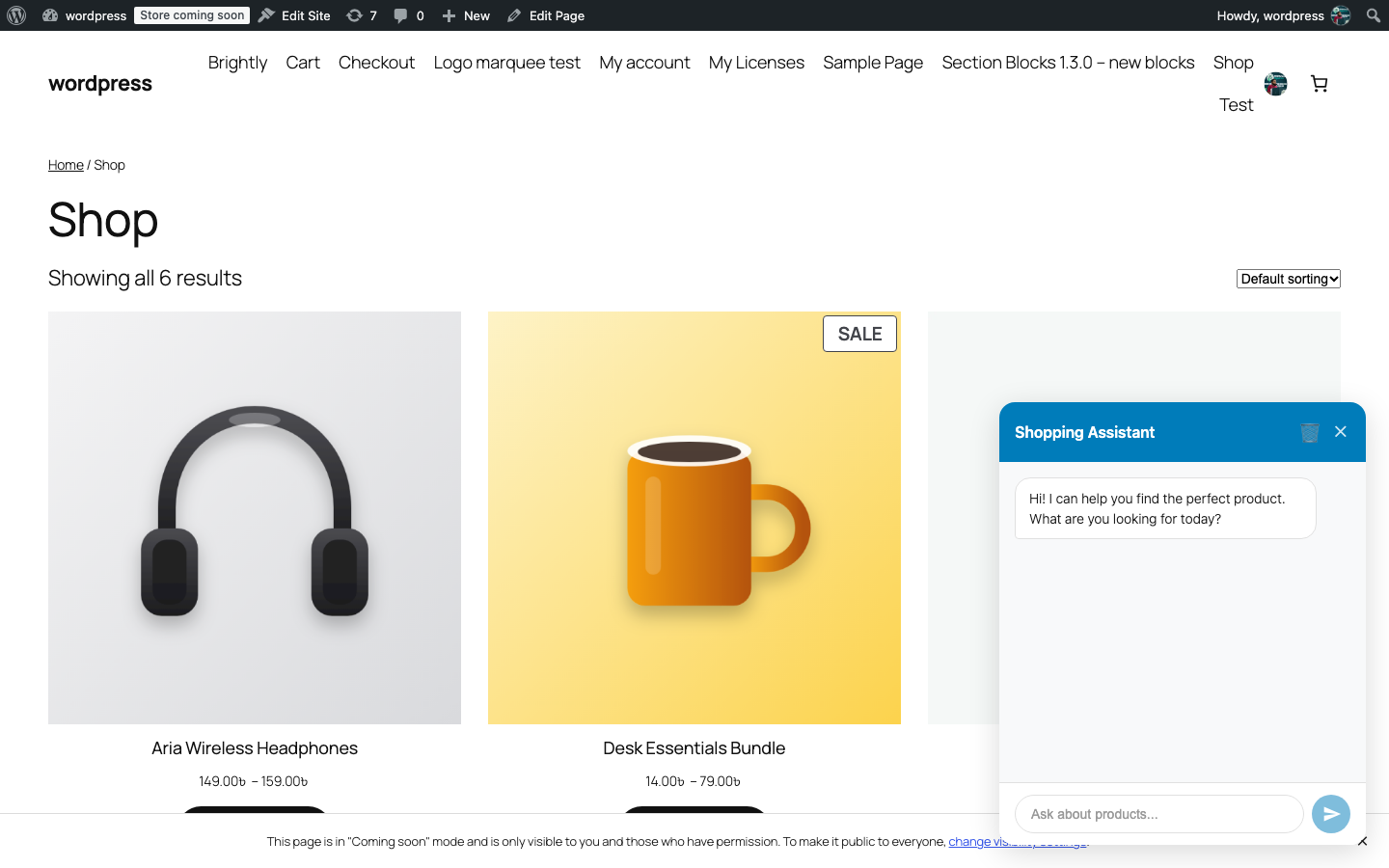
LeetCart AI for WooCommerce adds a chat assistant to your store. Shoppers describe what they want in their own words, such as “a warm hoodie under $50” or “something blue in a large”, and the assistant searches your catalogue and shows matching products as cards with an Add to Cart button, right inside the conversation.
The assistant runs on an AI model you choose, using your own API key from OpenAI, OpenRouter or Anthropic. There is no per-conversation fee and no extra AI subscription from us: you pay your AI provider only for what you use.
Who it is for#
- Store owners who want shoppers to find products without learning the shop’s category names and filters.
- Stores that answer the same shipping, returns and payment questions every day.
- Anyone who wants an AI assistant with predictable costs and conversations kept on their own site.
What it is best at#
- Product search in plain language. The assistant turns a request into a search by keyword, price range, category, colour and size, and shows up to eight matches with image, price, rating and an Add to Cart button.
- Answering store questions. Paste your shipping, returns and other policies into AI Persona and the assistant uses them to answer.
- Handing off to a person. When a shopper asks for a human or sounds frustrated, the assistant shows your fallback message and a link to your contact page.
- Keeping you in control. A per-visitor message limit, a message length cap, excluded categories, chat history with CSV export and a dashboard with today’s token usage.
Next steps#
- Check the Requirements.
- Follow the Installation and License steps.
- Run through the Quick Start to see the widget on your store.
Was this article helpful?
Tell us what was missing