
Chatbot Builder
LeetCart AI → Chatbot Builder controls how the widget looks and behaves on your storefront. The Live Preview card on the right mirrors every change before you click Save Changes.
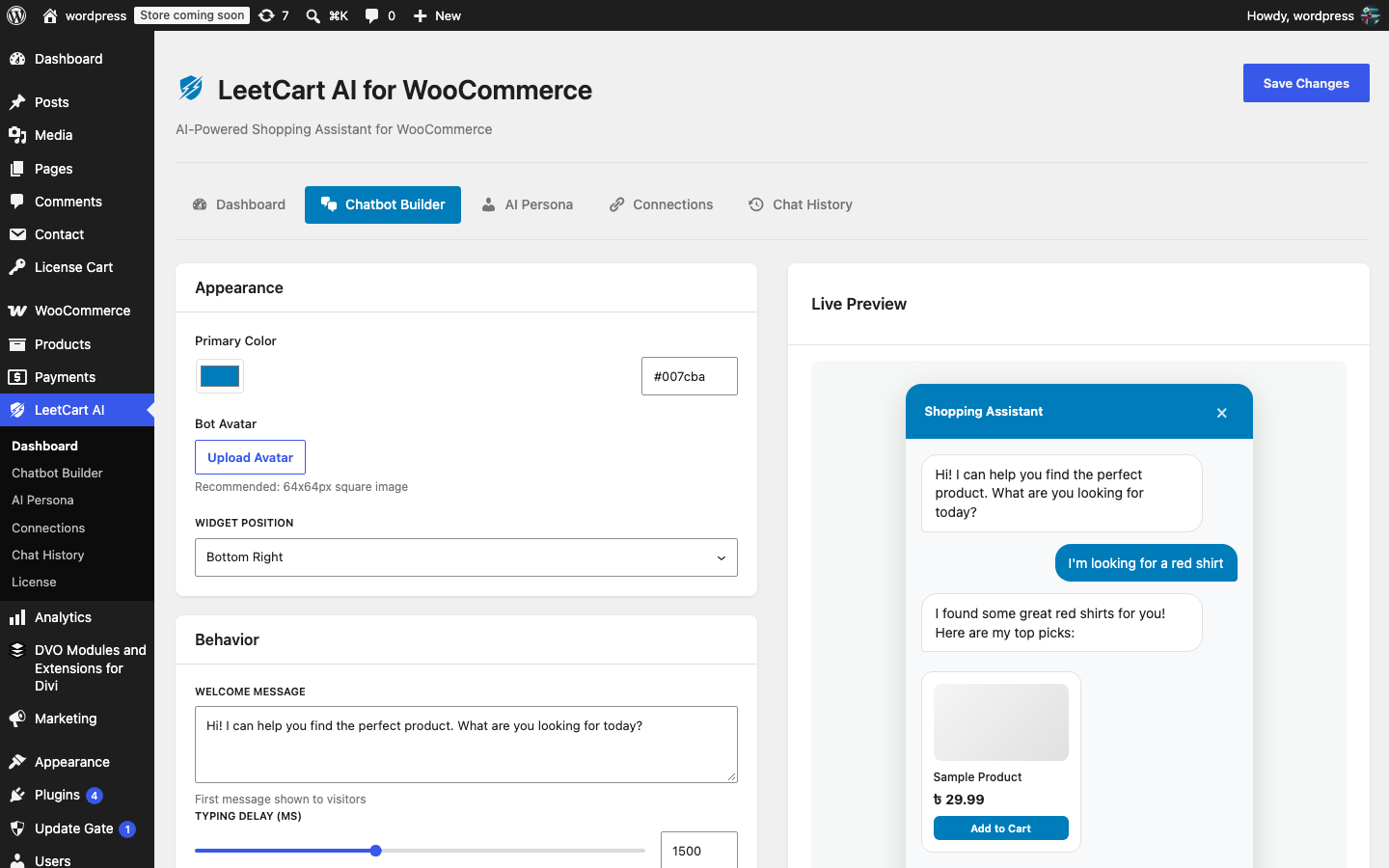
Appearance#
| Setting | What it does | Default |
|---|---|---|
| Primary Color | The colour of the chat button, the widget header, the shopper’s message bubbles and the Add to Cart buttons. Pick it with the colour picker or type a hex value. | #007cba |
| Bot Avatar | An image shown in the widget header next to the “Shopping Assistant” title. Upload Avatar opens the WordPress media library; Remove clears it. A square 64×64 px image works best. | none |
| Widget Position | Which bottom corner of the page holds the chat button and window: Bottom Right or Bottom Left. | Bottom Right |
Behavior#
| Setting | What it does | Default |
|---|---|---|
| Welcome Message | The first message shoppers see when they open the chat. Keep it short and tell them what to ask for. | “Hi! I can help you find the perfect product. What are you looking for today?” |
| Typing Delay (ms) | How long the typing indicator shows before a reply appears, to feel less abrupt. 500–3000 ms in steps of 100. | 1500 |
| Show on Mobile | Whether the widget loads on phones and tablets. Turn it off if the button covers something important on small screens. | On |
Fallback / Human Handoff#
| Setting | What it does | Default |
|---|---|---|
| Fallback Message | The reply shown when a shopper asks for a person or sounds frustrated (see What shoppers can do). | “I’m having trouble helping you. Would you like to contact our support team?” |
| Support/Contact URL | The page the Contact Support button opens: your contact form, a WhatsApp link, a help desk. Leave empty and the fallback message is shown without a button. | empty |
Live Preview#
The preview shows the header colour, avatar, welcome message and a sample product card the way shoppers will see them. Click the small chat bubble in the preview to see the minimised button. The preview does not send any messages to your AI provider.
The widget’s title (“Shopping Assistant”), input placeholder (“Ask about products…”) and button labels are translatable text, not settings. Translate them with a plugin such as Loco Translate using the text domain leetcart-ai-for-woocommerce.
Was this article helpful?
Tell us what was missing