
License
Your license key unlocks automatic updates from technoleet.dev and access to support. The audit itself is never locked: every feature works whether or not a key is entered.
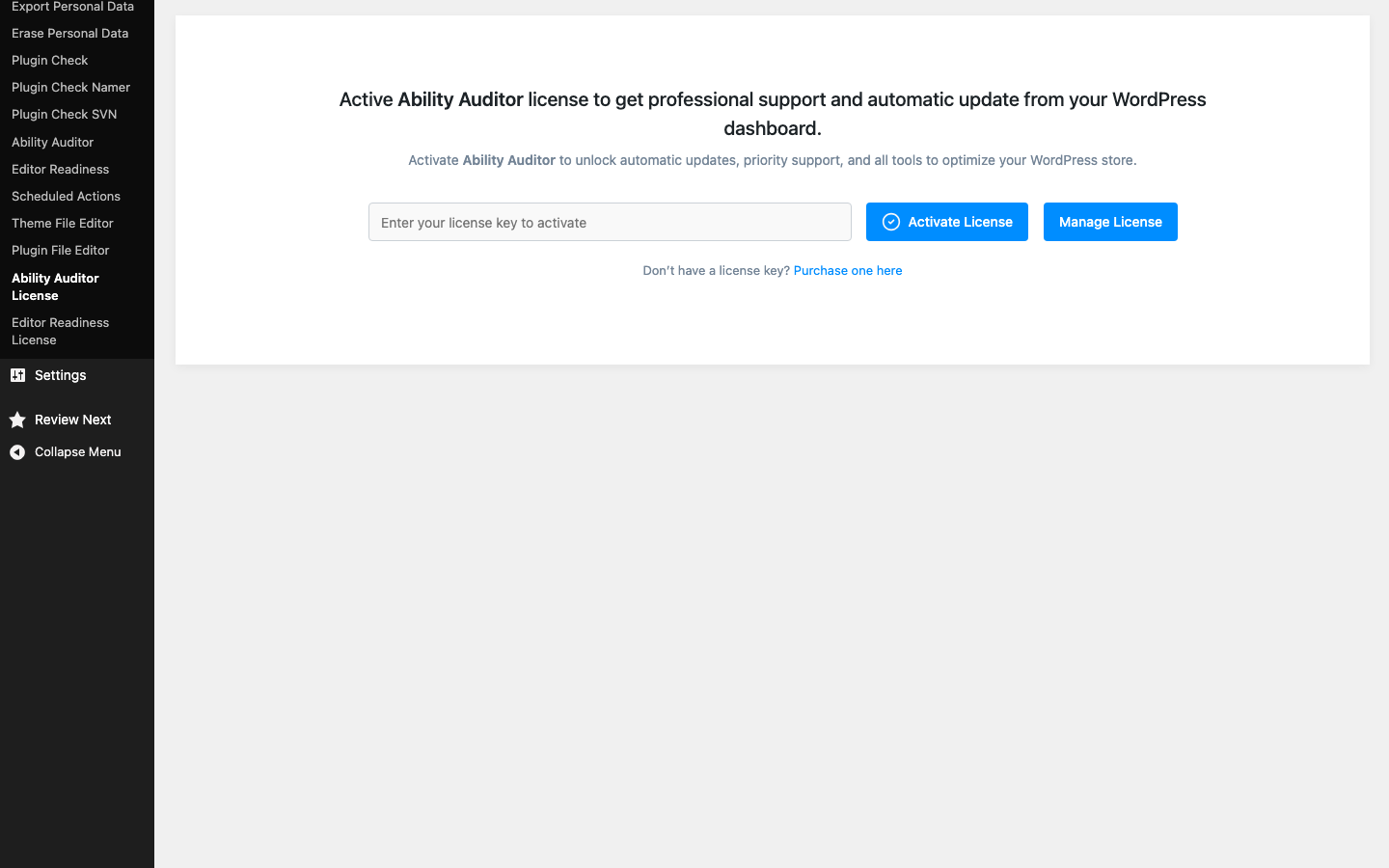
Activate your license#
- Find your key in your account at technoleet.dev > License Keys or in your order confirmation email.
- In wp-admin, make sure the plugin is active under Plugins.
- Go to Tools > Ability Auditor License.
- Paste the key into the License Key field.
- Click Activate License.
The screen then shows the license Status, the Expires date, Activation Remaining (for example “1 out of 3”), whether Automatic Update is enabled, and when the license was Last Checked.
What you get with a valid license#
| With a valid license | Without a license or after expiry |
|---|---|
| Updates are offered on the Plugins screen like any other plugin. They come from technoleet.dev, not WordPress.org. | No updates are offered. |
| Support through your technoleet.dev account. | No support. |
| All audit features. | All audit features. The plugin keeps working. |
Renewals#
When your license is close to its expiry date, the license screen shows a reminder (“Your Ability Auditor license expires in…”). After it expires, the message changes to say the license has expired. Renew from your account at technoleet.dev; the plugin re-checks the license in the background, so no re-activation is needed after renewing. You can also click Check License Status Now to refresh immediately.
Moving to another site#
One key activates the number of sites your plan allows. To move a site:
- On the old site, go to Tools > Ability Auditor License and click Deactivate License. This frees the activation slot.
- On the new site, install the plugin and activate the same key.
If the old site is gone and you cannot deactivate from it, click Manage License on the license screen (or open your technoleet.dev dashboard) to manage activations from your account.
Staging and local sites#
The license can be activated from local and development sites (for example .test, localhost or sites with WP_ENVIRONMENT_TYPE set to development), so you can test updates before they reach production. Each activation still counts toward your plan’s site limit.
Privacy#
The plugin only contacts technoleet.dev when you activate, deactivate or re-check a key, and when WordPress checks for plugin updates. Those requests carry the license key, the site URL and the plugin version. Nothing from your audits is ever sent, and the plugin collects no usage statistics.
On a multisite network where Ability Auditor is network-activated, the license screen lives in the Network Admin rather than in each site’s Tools menu.