
Activating your license
Your license key links this site to your purchase on technoleet.dev. While it is active, WordPress offers plugin updates in the usual way and you are entitled to support.
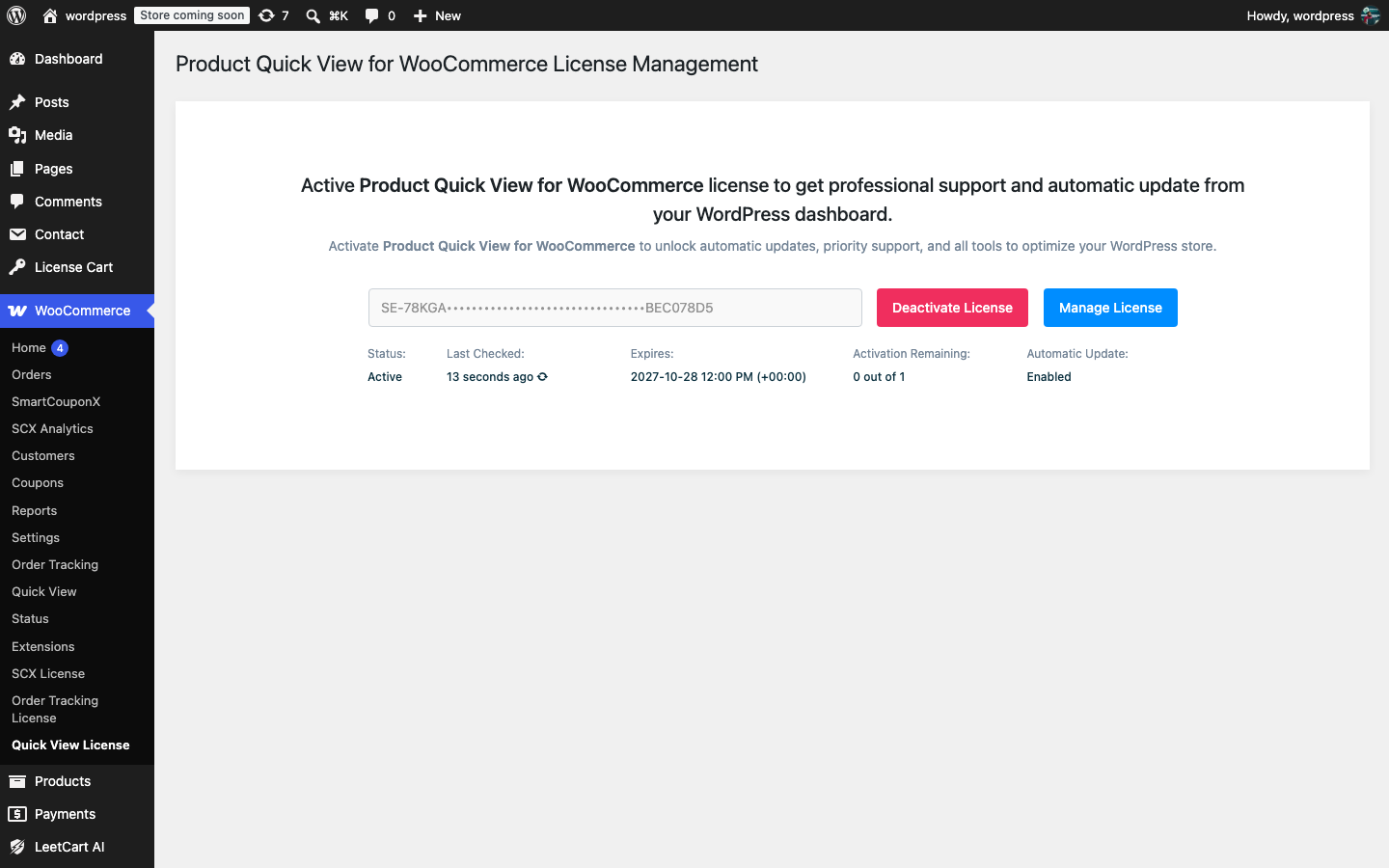
Activate the key#
- Go to Plugins → Installed Plugins and make sure Product Quick View for WooCommerce is active.
- Go to WooCommerce → Quick View License. (You can also click the License link in the plugin’s row on the Plugins screen, or the Quick View License link at the bottom of the settings page.)
- Paste your license key into the License Key field.
- Click Activate.
When activation succeeds, the screen shows:
| Field | Meaning |
|---|---|
| Status | Active when the key was accepted. |
| Last Checked | When the plugin last verified the key with technoleet.dev. The refresh icon next to it checks again immediately. |
| Expires | The date your license needs renewing. |
| Activation Remaining | How many more sites you can activate with this key, for example 2 out of 3. |
| Automatic Update | Enabled while the license is active. |
The Manage License button opens your license dashboard at technoleet.dev in a new tab.
Where to find your key#
Your key is shown after checkout and under License keys in your technoleet.dev account dashboard. If you have not bought the plugin yet, the license screen links to the product page.
How the plugin keeps the license checked#
- The key is verified with technoleet.dev once a day in the background. The plugin never contacts the license server during a normal page load, so shoppers are never slowed down by a license check.
- If technoleet.dev cannot be reached (for example your host blocks outgoing requests, or the store is briefly down), a valid license keeps working for 14 days. Once the server is reachable again the check resumes normally.
- Updates are delivered from technoleet.dev through the built-in WordPress updater and appear on Dashboard → Updates and on the Plugins screen while the license is valid.
Activating, deactivating or re-checking a license, and checking for updates, sends your license key, the site URL, the plugin version and your WordPress and PHP versions to technoleet.dev. Nothing else is sent, and no usage statistics are collected. See the privacy policy.