
Settings
Update Gate → Settings controls how strict the gate is, what happens when it fails, and where notifications go.
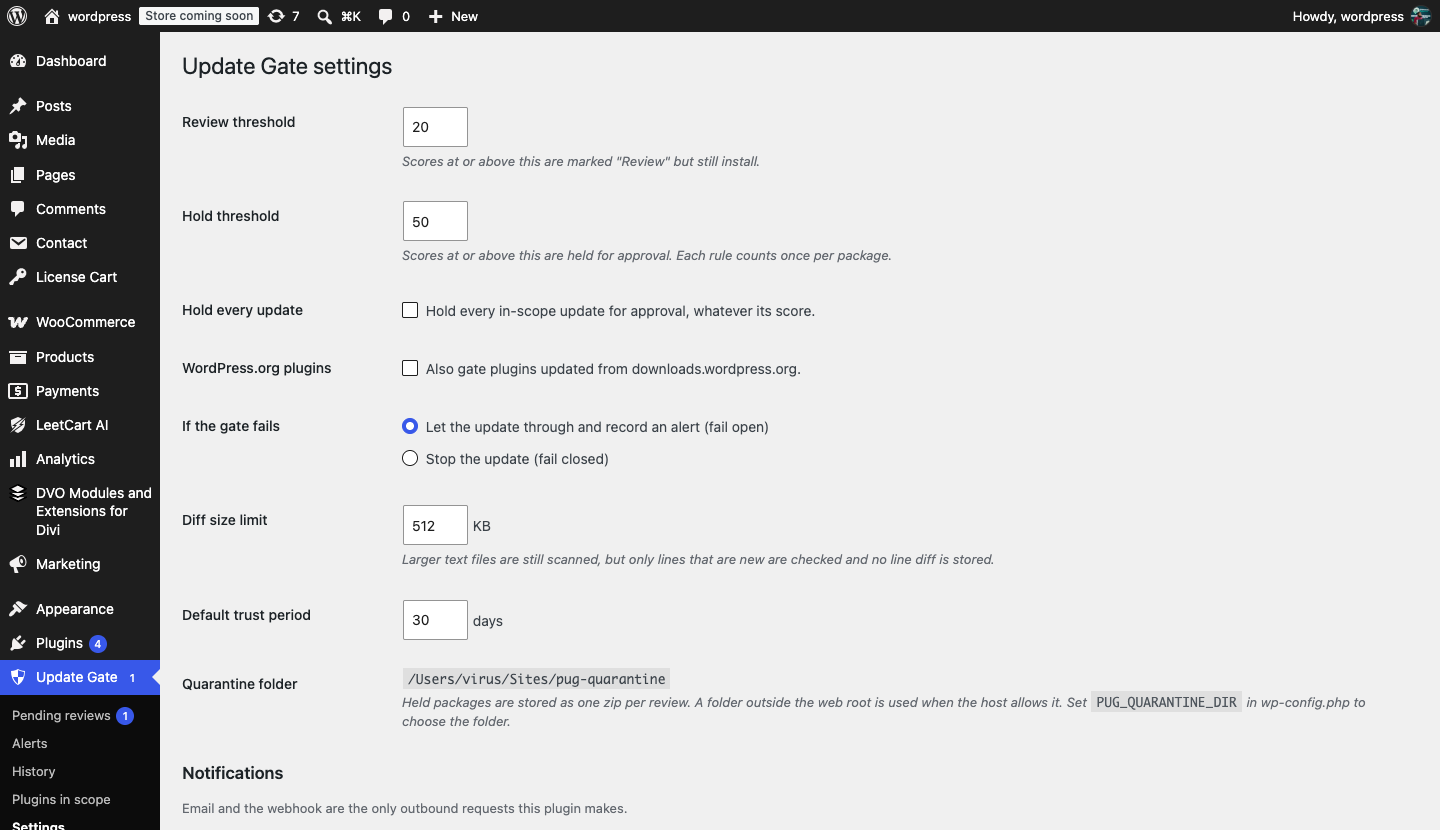
Gate settings#
| Setting | Default | What it does |
|---|---|---|
| Review threshold | 20 | Scores at or above this are marked Review. The update still installs, and a Medium alert records the findings. Range 0 to the Hold threshold. |
| Hold threshold | 50 | Scores at or above this are held for approval. Each rule counts once per package, however many times it matches. Range 1 to 1000. |
| Hold every update | Off | Hold every in-scope update for approval, whatever its score. Use this when you want a human to look at every premium update. |
| WordPress.org plugins | Off | Also gate plugins updated from downloads.wordpress.org. Off by default because the directory already reviews those releases. |
| If the gate fails | Fail open | What happens when the gate itself errors (for example the package cannot be read or the quarantine folder is not writable). Fail open lets the update through and records a High alert. Fail closed stops the update and records a High alert. |
| Diff size limit | 512 KB | Text files larger than this are still scanned, but only lines that are new are checked and no line diff is stored for the review. Range 16 to 4096 KB. |
| Default trust period | 30 days | The number of days pre-filled in the Approve and trust this vendor for N days button on a review. Range 1 to 365. |
| Quarantine folder | Automatic | Read-only. Shows where held packages are stored, or Not writable if no usable folder was found. Set PUG_QUARANTINE_DIR in wp-config.php to choose the folder. |
Notifications#
Email and the webhook are the only outbound requests this plugin makes, apart from license checks.
| Setting | Default | What it does |
|---|---|---|
| Email to | Site admin email | Comma-separated list of addresses that receive alert emails. Leave empty to use the site (or network) admin email. |
| Webhook URL | None | Optional HTTPS URL that receives Slack-compatible JSON ({"text": "…"}) when an alert is raised. Works with Slack incoming webhooks and anything that accepts the same format. HTTP URLs are rejected. |
| Notify for | Medium and above (includes held updates) | Minimum severity that triggers an email or webhook. Choose High and critical or Critical only to receive fewer messages. Held updates are Medium. |
| Last delivery | — | Shown after the first notification: the date, whether wp_mail() accepted the email and the webhook’s HTTP response code. |
Alerts raised during one request are batched into a single email and a single webhook call, sent after the page has finished loading, so a slow mail server never delays an update.
Click Send test notification at the bottom of the screen to send a test message to the configured email and webhook. The result appears under Last delivery.
Choosing the quarantine folder#
Held packages are stored as one zip per review in a random subfolder, protected by index.php, a deny-all .htaccess and a deny-all web.config. To keep them in a folder of your own, add this to wp-config.php:
define( 'PUG_QUARANTINE_DIR', '/var/www/private/pug-quarantine' );The folder must be writable by PHP. Package code is never executed or included; files are only read as text.