
Quick Start
Five minutes from a fresh install to a block that only logged-in users can see.
- Install and activate the free Section Blocks plugin (1.3.0+) and Section Blocks Pro as described in Installation.
- Go to Settings → Section Blocks Pro, paste your key and click Activate License.
- Edit a page and add a Pricing Tables block from the Section Blocks category in the inserter (or select any Section Blocks block you already have).
- With the block selected, open the block settings sidebar (the cog icon) and expand Conditional Display (Pro). It sits below the block’s own panels.
- Under Show to, choose Logged-in users.
- Optionally tick one or more roles under Only these roles. Leave every role unchecked to show the block to all logged-in users.
- Click Update or Publish.
- Open the page in a private browser window (so you are logged out). The pricing table is gone. Sign in and reload: it is back.
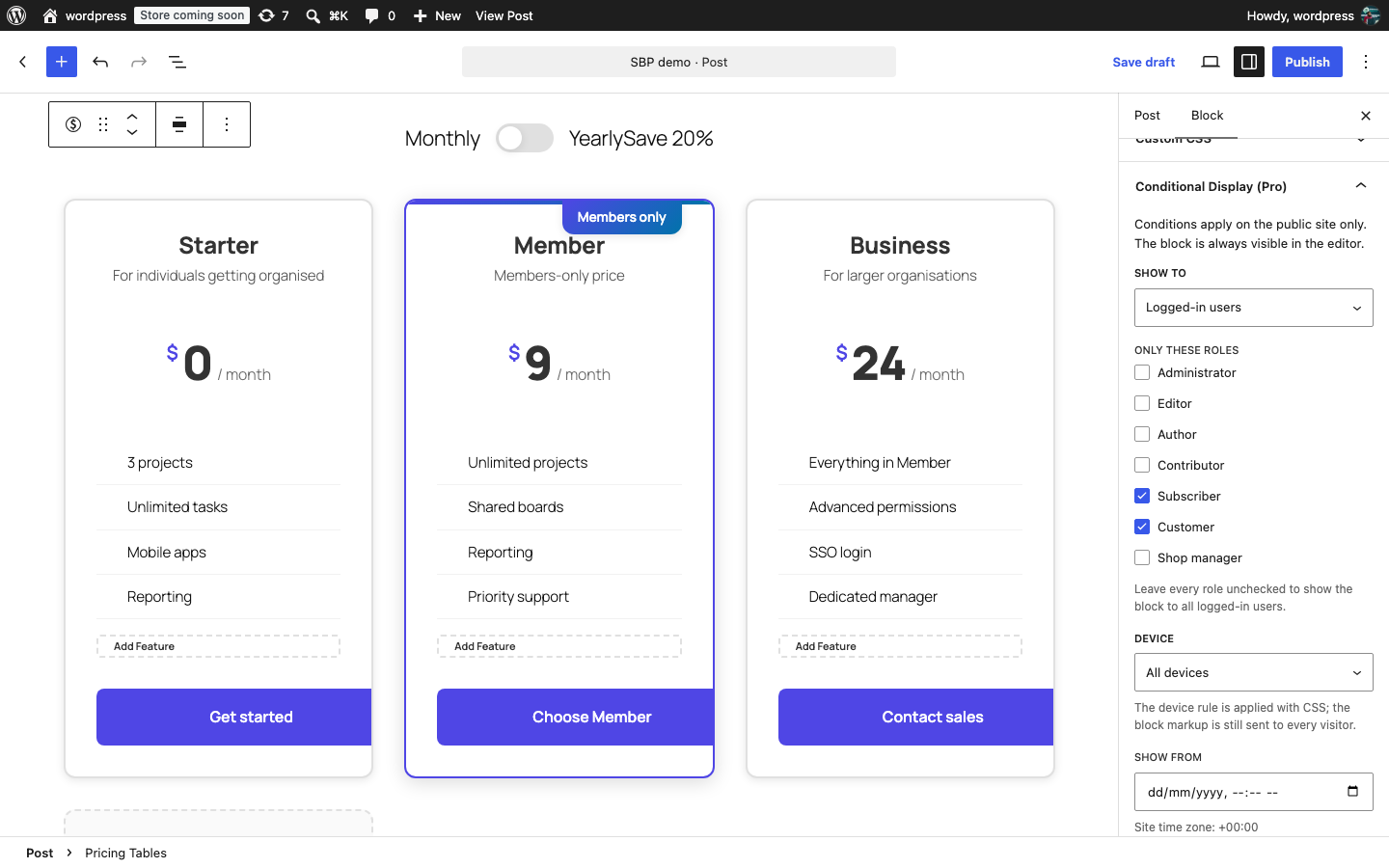
The block stays visible in the editor no matter which conditions you set, so you can keep editing it. Conditions only apply on the public site.
Was this article helpful?
Tell us what was missing