
Managing Licenses and Customers
Licenses tab#
License Cart → Licenses lists every key with product, customer, status, activations used/limit and expiry. Search by key or customer email; results are paginated 20 per page.
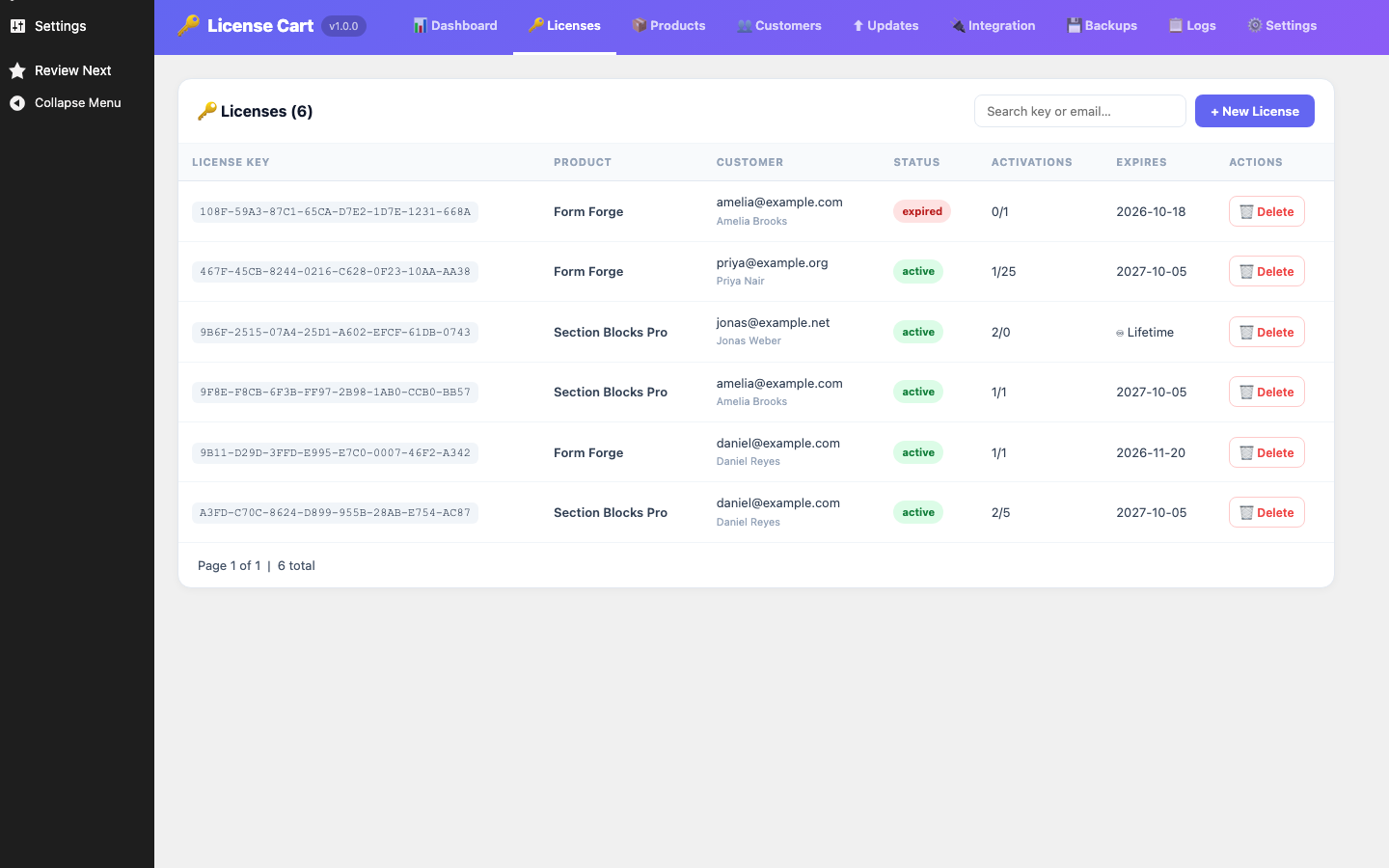
Creating a license manually#
Use this for free copies, support replacements or offline sales.
- Click + New License.
- Choose the Product, enter the Customer Email (required) and optional Customer Name.
- Set the Activation Limit (defaults to 1) and an optional Expires At date. Leave the date empty for a lifetime key.
- Click Create License.
The key is created as active and the customer record is created or reused. No email is sent for manually created keys; copy the key from the list and send it yourself, or tell the customer to log in to the portal.
Deleting a license#
Delete removes the key permanently. Customer sites using it will fail their next status check. If you only want to stop a subscription, cancel it in Paddle so the webhook sets the key to revoked and the history is kept.
License statuses#
| Status | Meaning | Can activate? | Gets updates? |
|---|---|---|---|
| active | Paid and within its term (or lifetime). | Yes, up to the limit | Yes |
| inactive | Subscription paused via Paddle. | No | No |
| expired | Subscription term ended without renewal. | No | No |
| revoked | Subscription cancelled via Paddle. | No | No |
Activations#
Each key stores the list of domains it is activated on. Domains are normalised before comparison: https://www.Example.com/ and example.com count as the same site; non-standard ports are kept. A domain can be removed from a key by the customer’s plugin calling the deactivate endpoint (for example when they move sites).
Version 1.0.0 does not include a button in wp-admin to remove a single activated domain from a key. To free a slot, ask the customer to deactivate from their plugin’s License screen, or create a replacement key.
Customers tab#
License Cart → Customers lists email, Paddle customer ID, linked WordPress account (with a link to the user profile) and join date, searchable by email. Customer records are created by webhooks and manual license creation.