
Introduction
Leet Order Tracking for WooCommerce adds a branded “track your order” page to your store. A customer enters their order number and the billing email they used at checkout; when both match, the plugin shows a tracking card for that order with its current status, your own remark and estimated delivery time, and a link to the carrier’s tracking page.
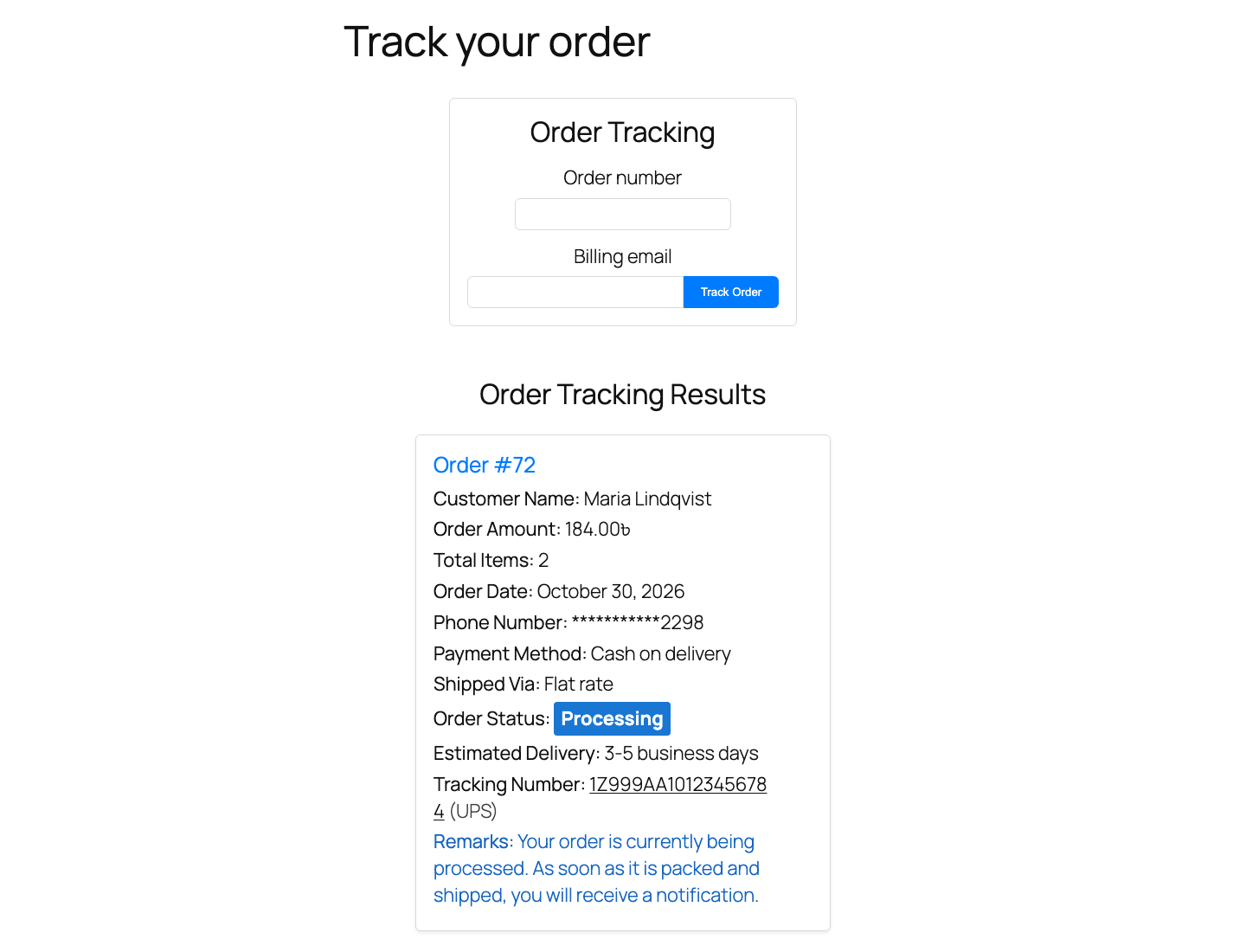
It is built for store owners who ship physical goods and want to answer “where is my order?” without opening a support ticket. No customer account or login is required.
What it is best at#
- Status remarks in your own words. Every order status on your store, including custom statuses added by other plugins, gets a customer-facing label, a remark and an optional “Estimated delivery” line. Sensible defaults are provided for all WooCommerce statuses.
- Carrier tracking links. Enter a tracking number and carrier on the order screen, and the tracking result links the number straight to the carrier’s page. UPS, FedEx, USPS, DHL and Royal Mail are preset; add any other carrier with a URL template.
- Choose what customers see. Switch each order detail (customer name, total, items, date, masked phone, payment and shipping method, remark, ETA, tracking) on or off.
- Safe lookups. Lookups are protected by a nonce, require the matching billing email, and are rate limited per visitor and per order number after repeated failures.
Next steps#
- Check the Requirements.
- Follow the Installation steps and activate your license.
- Run through the Quick Start to publish a tracking page.
Was this article helpful?
Tell us what was missing