
What customers see
A customer’s journey on the tracking page, step by step.
The lookup form#
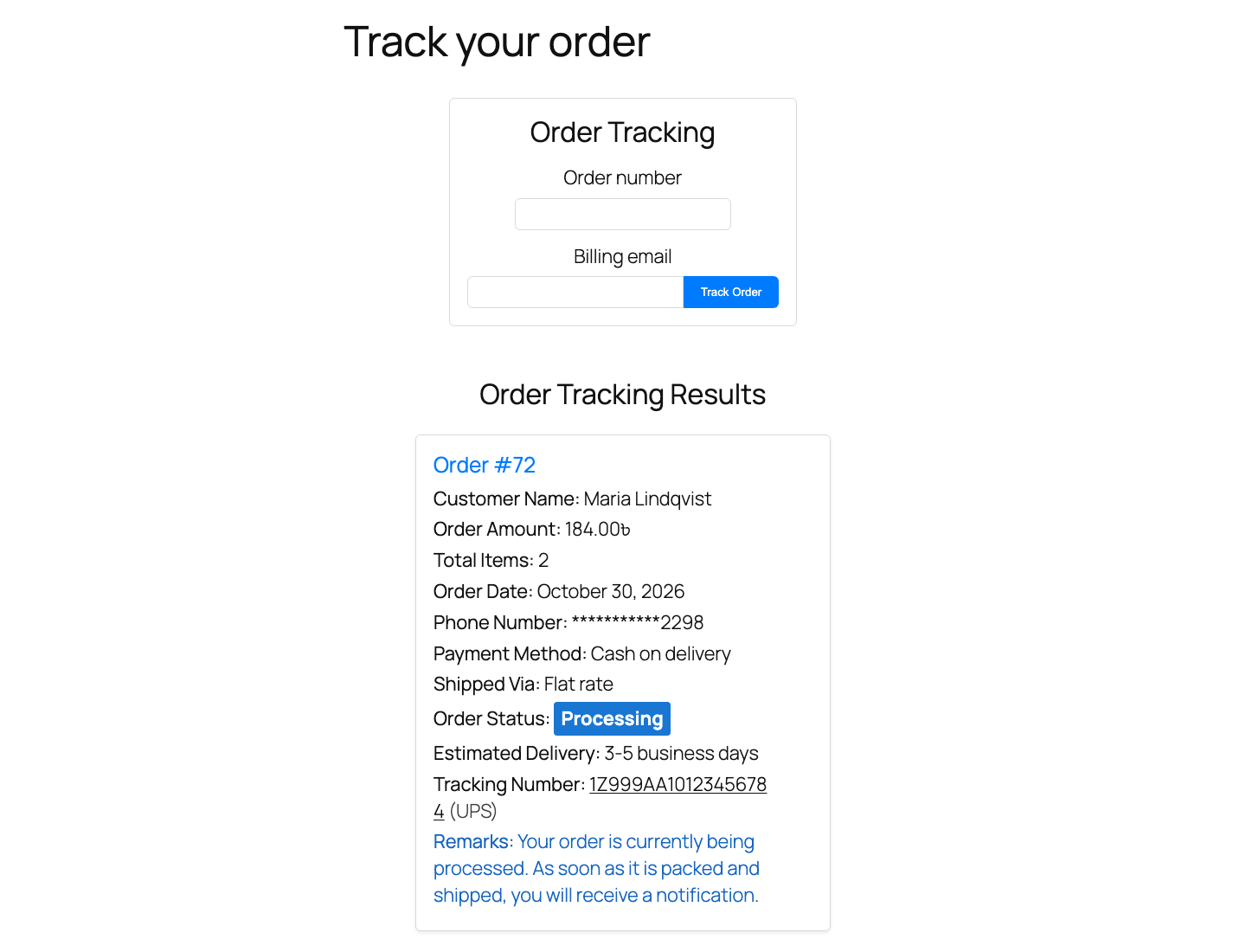
The page shows a card titled Order Tracking with two fields, Order number and Billing email, and a Track Order button. Both fields are required. The order number can be typed with or without the #.
The result card#
When the order number exists and the email matches the order’s billing email, the page shows Order Tracking Results with the order number as a heading, followed by the enabled fields in this order:
- Customer Name
- Order Amount
- Total Items
- Order Date
- Phone Number (masked, for example
*******1234) - Payment Method
- Shipped Via
- Order Status (always shown, with your label for that status)
- Estimated Delivery
- Tracking Number, linked to the carrier page and opening in a new tab, with the carrier name in brackets
- Remarks
Lines whose data is empty on that order are left out, so a customer never sees an empty “Tracking Number:” line.
Messages a customer may see#
| Message | When |
|---|---|
| Order not found. Please check the provided details and try again. | The order number does not exist, or the email does not match the billing email on that order. The same message is used for both cases on purpose, so nobody can find out whether an order number exists. |
| Too many failed attempts. Please wait a few minutes and try again. | The visitor, or that order number, has had too many failed lookups in the last 15 minutes. |
| Your session has expired. Please try again. | The form was open for a long time before it was submitted and its security token is no longer valid. |
Each message comes with a Try Again button that reloads the empty form.
Logged-in customers and staff#
Logged-in users who are allowed to see an order can look it up without the email matching: the customer who placed the order (via their My Account access), and anyone who can edit orders (shop managers and administrators). This is also what makes the track_value shortcode attribute work.
Orders that cannot be tracked#
Refunds, draft and checkout-draft orders, and orders in the trash are never shown, even to staff.