
Plugin and Theme Detail
Click a plugin or theme name in the summary table to open its detail page. Names without any findings are not links.
Header#
The heading shows the plugin or theme name with its verdict badge, the installed version and the date of the scan you are viewing.
Is there a newer version?#
This box tells you whether WordPress’s last update check found a newer version. If it did, the recommended path is: update on a staging copy, run the scan again, then report what is left to the author. If the plugin is not from WordPress.org, check with its vendor. A Go to updates link takes you to the Plugins or Themes screen.
Findings, grouped by rule#
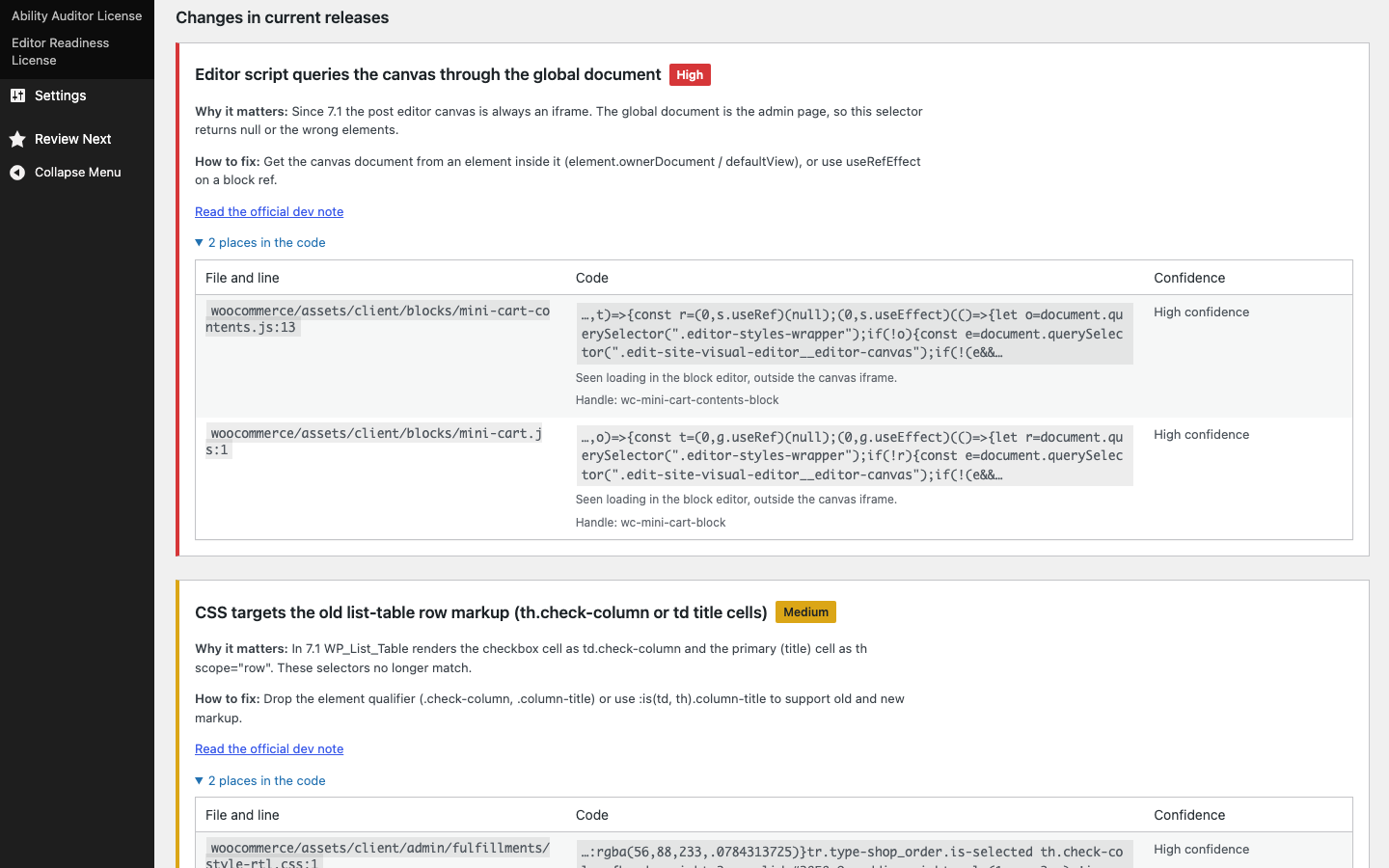
Findings are split into Changes in current releases and Upcoming changes (not in a release yet). Within each, one section per rule, most severe first, with:
- the rule title and a severity badge;
- Why it matters and How to fix, plus a link to Read the official dev note;
- a collapsible list of places in the code (collapsed by default only for Info findings) with a table of:
| Column | Contents |
|---|---|
| File and line | Path relative to the plugins or themes folder, with the line number |
| Code | The matching source line (trimmed to 200 characters), plus notes such as N matches in this file; the first few are listed, Block: name, apiVersion is not set, so it defaults to 1, how the file was identified as an editor asset, its script/style handle, or for meta boxes the box title, ID, post types, column and how it was found |
| Confidence | High, Medium or Low, with Lowered: found as an editor script by a static guess when applicable |
Viewing an older scan#
If you opened the detail page from History and exports for an older scan, a notice at the top says so and offers View the latest scan.